
A wedding photo slideshow is more than just a collection of pictures—it’s the story of your love told through laughter, memories, and emotion. Whether played during your reception dinner or shared online afterward, a well-crafted wedding picture slideshow captures everything that makes your relationship special. From childhood photos to the big “I do,” here’s how to create a wedding photography slideshow that keeps guests smiling (and maybe tearing up a little, too).
How Do You Choose the Right Music for a Wedding Slideshow?
Your soundtrack sets the tone for your entire wedding photo slideshow, so choose it carefully.
Tips for picking the perfect songs:
- Choose music that reflects your relationship—think meaningful lyrics or “your song.”
- Mix tempos: start upbeat, move into romantic tunes, and end with a joyful anthem.
- Match the pacing of your transitions to the rhythm of the song.
Popular wedding slideshow songs:
- “Can’t Help Falling in Love” – Elvis Presley
- “You Are the Reason” – Calum Scott
- “Perfect” – Ed Sheeran
- “Marry Me” – Train
- “A Thousand Years” – Christina Perri
Pro Tip: Alternate solo shots of each partner before merging into couple photos. This creates a “two stories become one” effect that resonates with guests as the music builds.
What Are the Best Themes for a Wedding Picture Slideshow?
The theme of your wedding picture slideshow should match your wedding style and personality.
Popular wedding slideshow themes:
- Romantic Vintage: Sepia filters, lace textures, and soft piano music.
- Modern Minimalist: Clean lines, muted tones, and simple text overlays.
- Storybook Style: Use chapter slides like “How We Met,” “The Proposal,” and “Happily Ever After.”
- Adventure Together: Highlight travel photos, scenic backdrops, and shared hobbies.
Design Tip: Use matching fonts and color palettes across your slideshow and printed materials like wedding programs and invitations for a cohesive aesthetic throughout your celebration.
How Can You Personalize Your Wedding Photo Slideshow?
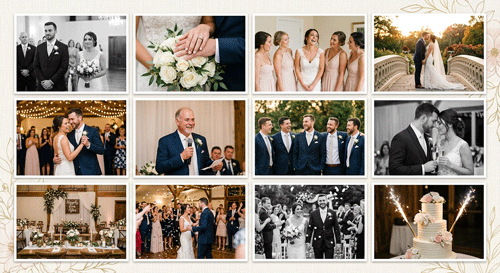
Make your slideshow uniquely yours by including details that tell your specific story—not a generic one.
Ideas to personalize your presentation:
- Include short captions or quotes that describe special moments.
- Add snippets from love letters or vows.
- Incorporate a few funny or behind-the-scenes photos for personality.
- End with a message of gratitude to guests and family.
Example closing slide: “Thank you for being part of our forever story. Love always, Alex & Jordan.”
What Transitions and Effects Work Best for a Photo Slideshow for a Wedding?
Smooth transitions keep the flow natural and engaging, letting the photos—not the software—take center stage.
Best practices:
- Avoid overusing flashy or spinning effects—stick with fades or slides.
- Time transitions with the beat of the music for rhythm and cohesion.
- Mix in slow-motion effects for romantic moments like the first dance.
Pro Tip: Less is more. Your guests should focus on the photos, not the effects layered on top of them.
How Long Should a Wedding Slideshow Be?
The perfect wedding photo slideshow is engaging, not endless. According to PaperDirect’s wedding planning guidance, slideshows should run no longer than 7 minutes, since guests tend to lose interest beyond that point.
Ideal length:
- 5–7 minutes (about 50–80 photos)
- 2–3 songs total
- Roughly 2–3 seconds per photo, so images stay in sync with the music without lingering too long
Timing tips:
- Play during dinner or after toasts for the best audience attention.
- If showing during cocktail hour, loop the slideshow so guests can catch all the moments.
Bonus: Create a shorter “highlight version” to post on social media after the wedding.
How Do You Share Your Wedding Photography Slideshow After the Big Day?
Once your slideshow is complete, make sure your guests (and future selves) can enjoy it again.
Sharing ideas:
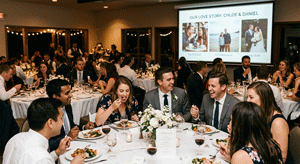
- Play it on a projector or TV during your reception.
- Upload it to YouTube or Vimeo for easy sharing with guests.
- Send it along with digital thank-you notes.
- Save it on a USB drive as a keepsake alongside your wedding photos.
- Back it up in multiple places, including the cloud, so nothing is lost if a device fails.
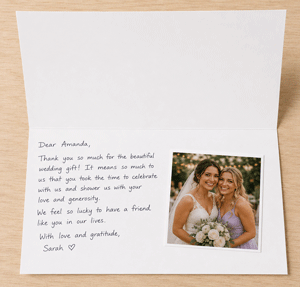
Pair your slideshow with personalized thank-you cards that match your slideshow theme, sent alongside a heartfelt note to guests who helped make your day special.
What Common Mistakes Should You Avoid When Making a Wedding Slideshow?
Avoid these pitfalls to keep your wedding picture slideshow ideas smooth and enjoyable for everyone watching:
- Using too many photos – stick to highlights over quantity.
- Overly long songs – trim audio to keep pacing natural.
- Unbalanced representation – include both partners equally.
- Last-minute creation – plan early to avoid stress.
Pro Tip: Always test your slideshow on the actual display equipment before the big day. A slideshow that looks perfect on your laptop can behave differently on a venue’s projector or TV.
Bringing Your Wedding Story to Life
A wedding photo slideshow works best when it feels personal, well-paced, and true to your relationship. Focus on quality over quantity, choose music that means something to both of you, and give your guests a clear story arc from your earliest days together to the moment you said “I do.” When your slideshow’s look echoes the rest of your celebration—from your invitations to your programs to your thank-you cards—the whole event feels intentional and complete.
Ready to bring that cohesive look to life? Explore PaperDirect’s wedding stationery and DIY keepsake collection, including wedding programs, invitations, and personalized thank-you cards, to complement your slideshow and tie your whole celebration together.
Frequently Asked Questions
How many photos should I include in a wedding photo slideshow?
Aim for 50 to 80 photos for a 5- to 7-minute slideshow. This keeps pacing tight while still covering key moments from childhood through the wedding day.
What songs work best for a wedding slideshow?
Choose two to three songs that hold personal meaning, mixing tempo from upbeat to romantic. Popular choices include “A Thousand Years” by Christina Perri and “Perfect” by Ed Sheeran.
When should the slideshow play during the reception?
Most couples play their slideshow during dinner or right after toasts, when guests are seated and attentive. If shown during cocktail hour, loop it so no one misses a moment.
Do I need a professional to create my wedding photo slideshow?
No. Many couples create their own slideshow using free or low-cost editing tools. The key is planning early, choosing photos thoughtfully, and testing the final product on the equipment you’ll use at your venue.
How do I make sure my slideshow doesn’t get lost or corrupted?
Back up your file in multiple places, including a USB drive and cloud storage. This protects against technical issues so your slideshow plays without a hitch on the big day.